JAR vs WAR vs EAR: Understanding Java File Formats
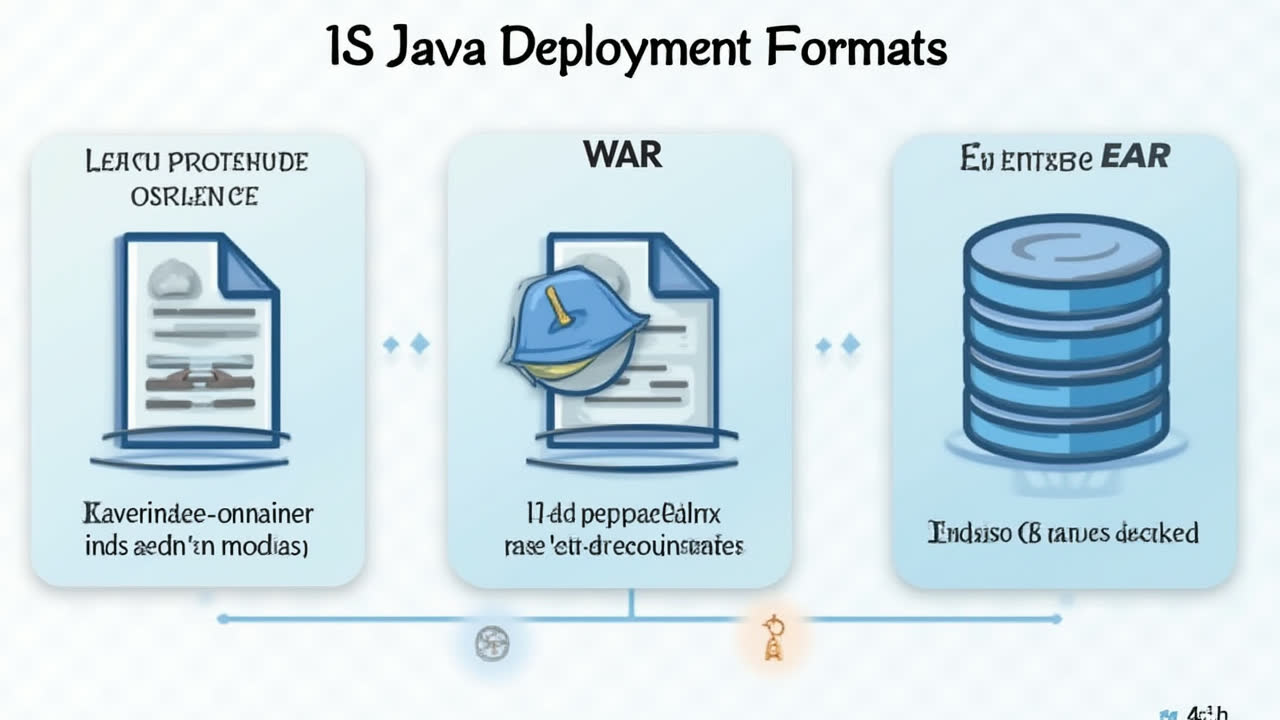
Understanding JAR vs WAR vs EAR: Java File Format Differences
If you've been working with Java development, you've probably encountered these three mysterious acronyms: JAR, WAR, and EAR. They might look like random collections of letters, but trust me, understanding these file formats will make your development life much easier. Let's dive into what makes each of these special and when you should use them.
What Are Java Archive Files Anyway?
Think of Java archive files as fancy packages for your code. Just like you wouldn't send individual socks through the mail - you'd pack them in a box - Java uses these archive files to bundle related code and resources together. Each type has its own specialty, and picking the right one can save you hours of deployment headaches.
I remember my first encounter with these files - I was a junior developer scratching my head, wondering why we needed so many different packaging formats. It felt like learning three different languages at once! But once I figured out how each one worked, everything clicked into place.
JAR Files: The Swiss Army Knife of Java
JAR files (Java Archive) are probably the most common packaging format you'll encounter. They're like a zip file that contains your compiled Java classes, metadata, and resources all bundled together. When someone says "executable JAR," they're talking about a self-contained application that can run with just a Java runtime environment.
Creating a JAR file is straightforward. The JDK comes with a handy jar utility that lets you create, extract, and update these archives. It's like having a universal toolbox for Java applications. Whether you're building a simple command-line tool or a complex library, JARs have got your back.
One neat trick I've learned over the years is that JAR files can actually contain other JAR files inside them. It's like those Russian nesting dolls, but for code! This becomes incredibly useful when you're dealing with libraries that have their own dependencies.
WAR Files: Web Application Powerhouses
WAR files (Web Application Resource) are the go-to choice for web applications. These bad boys contain everything needed to run a web app: servlets, JSPs, HTML files, CSS, JavaScript, and even regular JAR files for libraries. It's a complete package deal.
The beauty of WARs lies in their organization. Everything lives in specific directories - your Java classes go in WEB-INF/classes, libraries in WEB-INF/lib, and web resources at the root. This structure isn't just for show; it tells the application server exactly where to find everything it needs.
Deploying a WAR is often as simple as dropping it into your server's deployment directory. I've watched many developers fumble with manual deployments only to discover this simple trick. It's like magic - the server unpacks everything and gets your web app up and running without breaking a sweat.
Some application servers even let you update your web app by simply replacing the WAR file. It's hot deployment without the hassle of manually stopping and starting services. Though I'll admit, I've had a few close calls with production updates!
EAR Files: Enterprise Application Royalty
EAR files (Enterprise Application Archive) are the heavyweight champions of Java EE. These files can contain multiple modules - JARs, WARs, and even other modules specific to enterprise applications. When you need to deploy an entire business solution as one package, EARs are your friend.
Enterprise applications often have complex architectures with separate tiers for presentation, business logic, and data access. EARs help manage this complexity by packaging everything together while maintaining clear module boundaries. It's like having a well-organized filing cabinet instead of loose papers everywhere.
The real power of EARs comes from their deployment descriptors - XML files that tell the application server how to handle each module. You can specify deployment order, resource references, and even security settings. It's comprehensive, but honestly, sometimes it feels like overkill for simpler applications.
Detailed Comparison: JAR vs WAR vs EAR
| Feature | JAR | WAR | EAR |
|---|---|---|---|
| Full Name | Java Archive | Web Application Resource | Enterprise Application Archive |
| File Extension | .jar | .war | .ear |
| Primary Use | Standalone Java applications | Web applications | Enterprise applications |
| Can Contain | Classes, resources, metadata | Servlets, JSPs, HTML, JARs | JARs, WARs, EJBs |
| Deployment Environment | Java Runtime Environment | Web container (Tomcat, Jetty) | Application server (WebLogic, WebSphere) |
| Directory Structure | Flexible | WEB-INF required | META-INF required |
| Typical File Size | Smallest | Medium | Largest |
| Build Tools | jar tool, Maven, Gradle | Maven, Gradle, Ant | Maven, Gradle, specialized tools |
When to Use Each Format
Choosing the right format is like picking the right tool from your toolbox. JAR files are perfect for standalone applications, libraries, and utilities. If you're building a desktop application or creating a reusable component, JAR is your answer.
WAR files shine when you're developing web applications. Whether it's a simple servlet-based app or a complex MVC framework application, WARs handle web resources and Java code together seamlessly. Plus, most web containers expect WAR format for deployment.
EAR files come into play for enterprise-grade applications. When you have multiple modules that need to work together - maybe a web frontend (WAR), business logic (JAR), and EJB components - EARs help orchestrate this complexity. They're also essential when you need to deploy to full Java EE application servers.
One quirk I've noticed: smaller organizations often tend to avoid EARs altogether. The complexity just isn't worth it when you can achieve the same results with simpler WAR deployments. Sometimes, simpler really is better!
Common Pitfalls and Pro Tips
After years of working with these formats, I've picked up some tips that might save you from headaches. First, always pay attention to your classpath. Nothing's more frustrating than a ClassNotFoundException because your JAR dependencies aren't loading correctly.
For WAR files, remember that the WEB-INF directory structure is sacred. Don't mess with it! Also, when using shared libraries, consider placing common JARs in your server's lib directory instead of bundling them with each WAR. Your deployment will be leaner and cleaner.
EAR files require extra attention to deployment descriptors. Always validate your XML files before deployment. I've seen production deployments fail because of a missing closing tag in application.xml. Such a simple error, but it can ruin your day!
Here's a pro tip: when dealing with large projects, consider creating automated build scripts. Tools like Maven and Gradle can generate these archives with proper structure automatically. It's a game-changer for maintaining consistency across deployments.
Frequently Asked Questions
Can I convert a JAR file to a WAR file?
Not directly. To convert a JAR to a WAR, you need to restructure the contents according to web application requirements. This includes creating a WEB-INF directory, adding a web.xml descriptor, and organizing your resources appropriately. You'll also need to add any necessary web components like servlets or JSPs.
Which is better for microservices: JAR or WAR?
JAR files are generally preferred for microservices, especially when using embedded servers like Spring Boot. They're lighter, self-contained, and can be deployed more easily in containerized environments. WAR files still require an external web container, which adds complexity to microservice deployments.
Do modern cloud applications still use EAR files?
EAR files are less common in modern cloud applications. The trend has moved toward microservices and containerization, which typically use JAR files or Docker images. However, EARs are still used in organizations running traditional Java EE applications on full application servers like WebLogic or WebSphere.
Understanding the differences between JAR, WAR, and EAR files isn't just academic knowledge - it's practical skill that will influence how you architect and deploy your applications. Whether you're building a simple library or a complex enterprise system, choosing the right packaging format can make or break your project's success. So next time someone asks you about these formats, you'll know exactly what to say!